04 · Toggles
Live switches — which parameters can flip, and when: at runtime, only at a cycle boundary, or effectively never.
[TOGGLES — timing discipline over the tunable surface]
New here? This section is about timing — for each setting you can change, it tells you when it's safe to change it: right away, only when the work reaches a clean stopping point, or basically never. It's for anyone tuning how a project runs and wanting to avoid changing a rule while that rule is still in use. New to the whole framework? Start with the mental model.
TL;DR
Tunables answer what you can configure. Toggles answer when a given setting may safely change. Every tunable in CompassAlpha carries a flip-timing class: some can flip mid-cycle without anyone noticing, some can only flip when the work pauses at a cycle boundary, and some are set once at adoption and are effectively permanent for the project's lifetime.
Flipping a setting at the wrong moment is its own failure mode — distinct from choosing the wrong value. A perfectly reasonable value, changed under a live dispatch, can race the very work it was meant to govern. This section is about timing, not value.
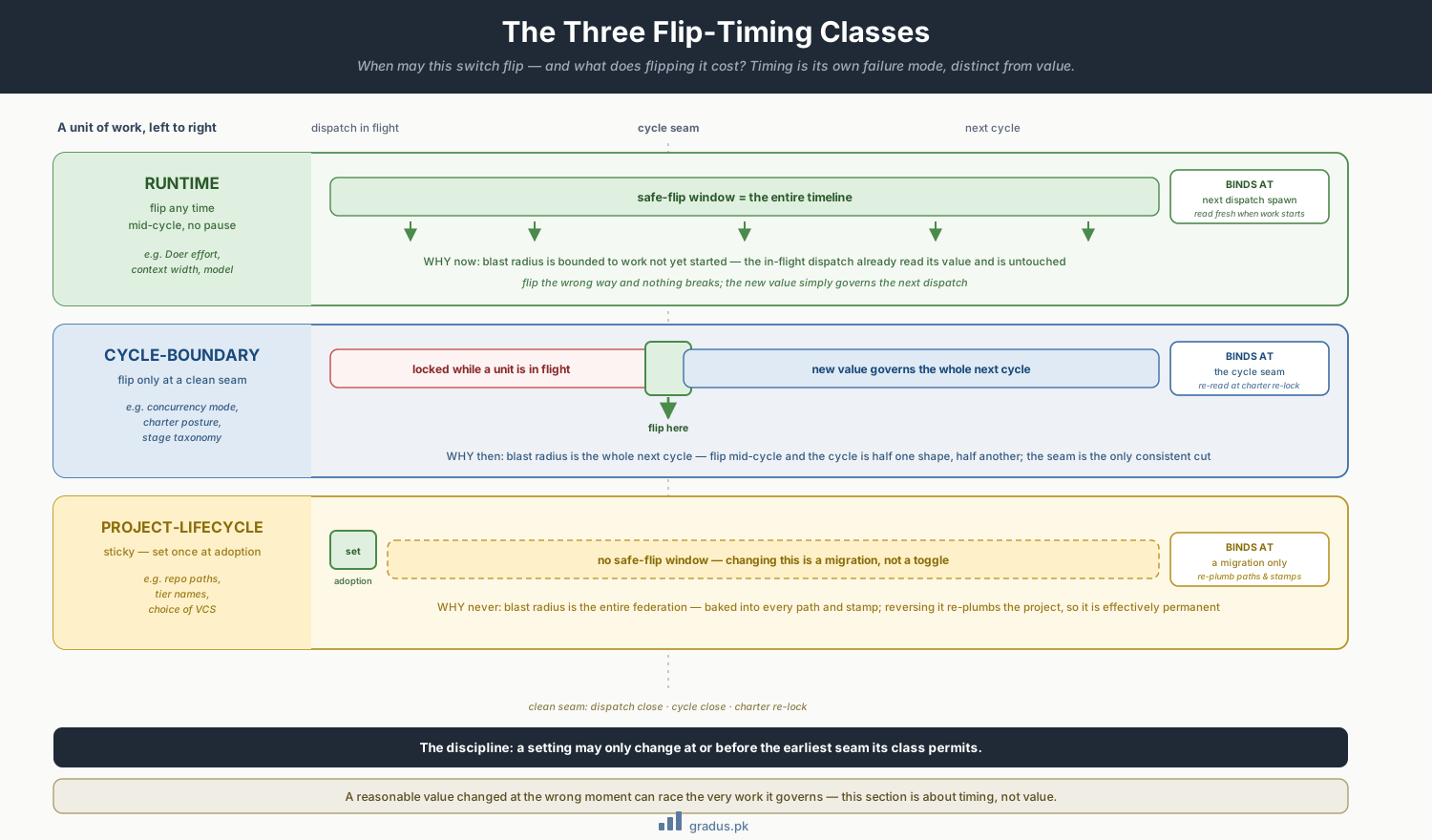
When a switch may flip and what flipping costs: anytime at runtime, only at a clean seam at cycle-boundary, effectively a migration at project-lifecycle.
The three flip-timing classes
CompassAlpha sorts every changeable setting into exactly one of three classes:
| Class | Flips when | Blast radius | Page |
|---|---|---|---|
| Runtime | Any time, mid-cycle, no pause | Bounded to work not yet started | Runtime toggles → |
| Cycle-boundary | Only when the active axis is at a clean seam (dispatch close, cycle close, charter re-lock) | The whole next cycle | Cycle toggles → |
| Project-lifecycle | Effectively never — set once at adoption | The entire federation; changing means a migration | Project-lifecycle toggles → |
The discipline is simple to state and easy to violate: a setting may only change at or before the earliest seam its class permits. A cycle-boundary toggle changed mid-dispatch is a protocol violation, even if the new value is objectively better.
Why timing is a first-class concern
CompassAlpha's correctness rests on a small number of invariants — the firewall, the persistence law, the bus protocol, and above all the cross-axis temporal posture (the Charter LOCKED ↔ UNLOCKED alternation). Those invariants assume the rules of the game hold steady for the duration of a unit of work.
A toggle is a change to the rules of the game. If it lands while a Doer is mid-slice, or while a mentor is holding jurisdiction, the work was started under one rulebook and finished under another. That is the structural hazard. The flip-timing class of each setting is precisely the rule that says "this rule-change is safe to apply now" or "wait for the seam."
Concretely:
- Runtime toggles govern only work that hasn't started. Changing the Doer's effort level affects the next dispatch, never the one in flight. Safe to flip whenever.
- Cycle-boundary toggles govern the shape of a whole cycle — concurrency mode, charter posture, the stage taxonomy. Flipping one mid-cycle means the cycle is half one shape and half another. Wait for the seam.
- Project-lifecycle toggles are baked into paths, tier names, and the choice of VCS. Changing one isn't a toggle at all — it's a migration.
How to read this section
- Toggle reference — the complete switch list, every setting classified by flip timing. Start here if you want the map.
- Runtime toggles — what you can safely change without pausing.
- Cycle toggles — what waits for a cycle boundary, including the charter posture state machine.
- Project-lifecycle toggles — the set-once decisions you make at adoption.
- Operating presets — named bundles that set a coherent group of toggles at once, plus the anti-presets to avoid.
The relationship to tunables, one more time
If you remember nothing else: tunables are the dials; toggles are the rules about when you're allowed to turn each dial. A project picks values from Tunables, then consults this section to learn the cadence at which each of those values may be revisited. The two sections are meant to be read together — pick a value there, learn its flip-timing here.